

About Course
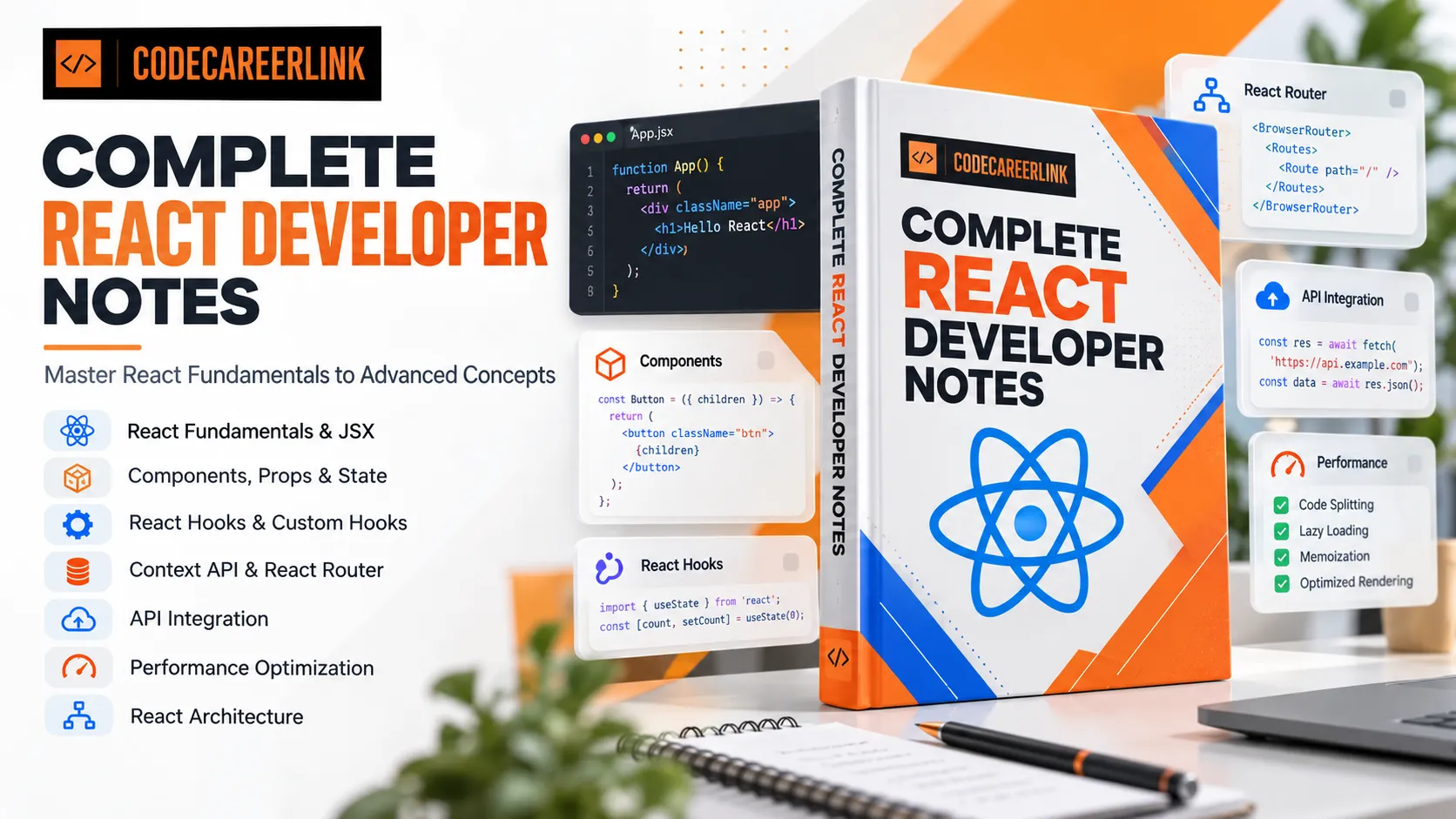
Build a strong understanding of React with Complete React Developer Notes by CodeCareerLink. This course covers essential React concepts, from fundamentals and JSX to Hooks, routing, API integration, performance optimization, and application architecture.
What You Will Learn
- Understand React fundamentals and JSX syntax.
- Work with components, props, and state.
- Understand rendering, events, forms, and lifecycle concepts.
- Learn built-in React Hooks, including useState, useEffect, useMemo, useCallback, useRef, and useReducer.
- Explore additional Hooks such as useLayoutEffect, useImperativeHandle, useTransition, and useDeferredValue.
- Create custom Hooks to reuse logic across components.
- Manage shared data using the Context API.
- Implement navigation using React Router.
- Integrate APIs into React applications.
- Understand memoization, lazy loading, code splitting, Suspense, and virtualization.
- Learn the principles of React application architecture.
Course Topics
- React Fundamentals
- JSX
- Components
- Props
- State
- Rendering
- Events
- Forms
- Lifecycle
- React Hooks
- Custom Hooks
- Context API
- React Router
- API Integration
- React Performance
- React Architecture
Who Is This Course For?
- Students learning React development.
- Freshers preparing for frontend development roles.
- BCA, B.Sc. IT, B.Tech, and MCA students.
- JavaScript developers transitioning to React.
- Aspiring and junior React developers.
- Frontend developers revising React concepts.
Course Requirements
- Basic knowledge of JavaScript is recommended.
- Familiarity with HTML and CSS is helpful.
- Basic understanding of functions, arrays, and objects is useful.
- A code editor and modern web browser are recommended for practice.
Strengthen Your React Fundamentals
Use these structured notes to learn, understand, and revise important React concepts. Develop a stronger foundation for building React applications and progressing in frontend development.
What Will You Learn?
- Understand React fundamentals and JSX.
- Build reusable components and work with props.
- Manage component state and understand rendering.
- Handle events and work with forms.
- Understand React lifecycle concepts.
- Use built-in React Hooks.
- Create custom Hooks.
- Manage shared state using the Context API.
- Implement routing with React Router.
- Integrate APIs into React applications.
- Understand React performance optimization techniques.
- Learn the fundamentals of React application architecture.
Course Content
Importent Please Read
-
A Thank You Note from Your Instructor
-
Welcome & How to Use These Notes
-
Common React Interview Question Patterns
-
How Frontend Developer Interviews Actually Work
-
How This Guide Can Help You
React Fundamentals — Detailed Notes
These notes cover the important React fundamentals for frontend interviews, with examples you can understand and explain confidently.
-
What is React?
-
Features of React
-
What is a Component?
-
What is JSX?
-
What is the Virtual DOM?
-
What is Reconciliation?
-
What is ReactDOM?
-
What is SPA?
-
What is Declarative Programming?
-
What is Component-Based Architecture?
-
What is One-Way Data Flow?
-
What are Props and State?
-
What happens when state changes?
-
React vs Vanilla JavaScript
-
Important React Fundamentals Interview Questions
-
Quick Revision Notes
-
Practice task
JSX
-
What is JSX?
-
JSX Rules
-
JSX Expressions
-
Conditional Rendering
-
Conditional Rendering
-
Rendering Lists with .map()
-
React Fragments
-
JSX Attributes
-
Inline Styling in JSX
-
JSX vs HTML
-
Can JSX contain JavaScript statements?
-
⭐ Important JSX Interview Questions
-
Practice Exercise
Components
A React component is a reusable, independent piece of UI that can accept inputs and return React elements describing what should appear on the screen.
-
What is a React Component?
-
Types of Components
-
Component Naming Rules
-
Component Composition
-
Reusable Components
-
Props in Components
-
The children Prop
-
Parent and Child Components
-
Pure Components and Rendering
-
Component File Organization
-
⭐ Important Component Interview Questions
-
Quick Revision
-
Practice Task
Props in React
Props (properties) are read-only inputs passed from a parent component to a child component.
-
What are Props?
-
Passing Multiple Props
-
Props Destructuring
-
Default Props Values
-
Props Are Read-Only
-
Passing Functions as Props
-
The children Prop
-
What Is Prop Drilling?
-
Props vs State
-
Common React Props Interview Questions
-
Quick Revision
-
Practice Task
State in React
State is data managed by a component that can change over time. When state updates, React can re-render the component to display the latest data.
-
What Is State in React?
-
What Is the useState Hook?
-
Updating State
-
Functional State Updates
-
State Updates Are Not Immediate Variable Changes
-
Managing Objects in State
-
Managing Arrays in State
-
State vs Props
-
What Is Lifting State Up?
-
Rules of useState
-
Common React State Interview Questions
-
Quick Revision
-
Practice Task
Rendering in React
Rendering is the process in which React calls a component to determine what UI should be displayed.
-
What Is Rendering in React?
-
What Triggers a Re-render?
-
What Is the Virtual DOM?
-
What Is Reconciliation?
-
Rendering vs Re-rendering
-
Parent and Child Re-renders
-
What Are Keys in React?
-
Conditional Rendering
-
What Is a Fragment?
-
What Is StrictMode?
-
How to Improve Rendering Performance
-
Common React Rendering Interview Questions
-
Quick Revision
-
Practice Task
Events in React
Events allow users to interact with a React application. Examples include clicking buttons, typing into inputs, submitting forms, hovering over elements, and pressing keyboard keys.
This is an important topic for React interviews because events are used in almost every interactive component.
-
What Are Events in React?
-
React Event Naming
-
Function Reference vs Function Call
-
Passing Arguments to Event Handlers
-
What Is a Synthetic Event?
-
Difference Between target and currentTarget
-
What Is Event Bubbling?
-
What Is preventDefault()?
-
Handling Input Events
-
Keyboard Events
-
Event Delegation in React
-
Common React Event Interview Questions
-
Quick Revision
-
Practice Task
Forms in React
Forms are used to collect user information, such as login credentials, registration details, search queries, contact messages, and payment information.
In React interviews, you should understand controlled components, uncontrolled components, form validation, handling multiple inputs, and form submission.
-
What Are Forms in React?
-
What Is a Controlled Component?
-
What Is an Uncontrolled Component?
-
Handling Multiple Inputs
-
Form Validation in React
-
Form Validation in React
-
Built-in HTML Validation
-
Handling Checkboxes and Radio Buttons
-
What Is Form Submission?
-
Common Mistakes in React Forms
-
Common React Forms Interview Questions
-
Quick Revision
-
Practice Task
Component Lifecycle in React
The component lifecycle describes the different stages a React component goes through, from appearing on the screen to updating and eventually being removed.
This is a common React interview topic, especially questions about useEffect, dependency arrays, cleanup functions, and class lifecycle methods.
-
What Is the React Component Lifecycle?
-
What Is useEffect?
-
useEffect with Different Dependency Arrays
-
Understanding Cleanup Functions
-
Class Component Lifecycle Methods
-
Fetching API Data with useEffect
-
What Is the Difference Between useEffect and useLayoutEffect?
-
Common useEffect Mistakes
-
Common Lifecycle Interview Questions
-
Quick Revision
-
Practice Task
React Hooks
React Hooks are special functions that let functional components use React features such as state, side effects, references, and performance optimizations.
-
What are React Hooks?
-
Rules of Hooks
-
useState
-
useEffect
-
useMemo
-
useCallback
-
useRef
-
useReducer
-
useLayoutEffect
Custom Hooks in React
A Custom Hook is a JavaScript function that allows you to reuse stateful logic between multiple React components.
-
What is a Custom Hook?
-
Why do we need Custom Hooks?
-
Creating your first Custom Hook
-
Custom Hook for API fetching
-
Custom Hook for localStorage
-
Custom Hook for window size
-
Custom Hook for debouncing
-
Rules for Custom Hooks
-
Custom Hooks vs normal functions
-
Common interview questions
-
Quick revision
-
Practice task
Context API in React
The Context API is a React feature that lets you share data across multiple components without passing props manually through every intermediate component.
-
What is the Context API?
-
What is prop drilling?
-
How to use the Context API
-
Context API with useState
-
Context API with useReducer
-
Context API vs Props
-
Context API vs Redux
-
Context API performance
-
Common interview questions
-
Quick revision
-
Practice task
React Router
React Router is a routing library for React that lets you navigate between different pages or views in a web application without performing a full browser page reload for every navigation
-
What is React Router?
-
Install React Router
-
Basic routing
-
Important React Router components
-
Link vs
-
Dynamic route parameters
-
useNavigate()
-
Query parameters with useSearchParams()
-
Nested routes and layouts
-
Protected routes
-
Handling 404 pages
-
useLocation()
-
Common React Router interview questions
-
Quick revision
-
Practice task
API Integration in React
API integration is the process of connecting a React application to a backend service to send or receive data
-
What is API integration?
-
What is an HTTP request?
-
Fetch API in React
-
Handle loading, error and success states
-
POST request — Send data to the backend
-
PUT, PATCH and DELETE requests
-
Axios in React
-
Create a reusable Axios instance
-
What are Axios interceptors?
-
Fetch vs Axios
-
Where should API calls be placed?
-
Common API integration mistakes
-
Common interview questions
-
Quick revision
-
Practice task
React Performance Optimization
React performance optimization means improving how quickly your application loads, responds to user interactions, and updates the UI.
-
Why is performance optimization important?
-
What causes a component to re-render?
-
React.memo()
-
useMemo()
-
useCallback()
-
Lazy loading with React.lazy()
-
Code splitting
-
What is Suspense?
-
List virtualization
-
Avoid unnecessary state and Effects
-
Optimize images and network requests
-
React Profiler
-
Common performance interview questions
-
Quick revision
-
Practice task
React Architecture
React architecture is an important interview topic because companies want developers who can build applications that are not only functional, but also maintainable, reusable, testable, and scalable.
-
What is React Architecture?
-
Component-Based Architecture
-
Separation of Concerns
-
Recommended React Folder Structure
-
Smart Components vs. Presentational Components
-
Custom Hooks for Reusable Logic
-
Separate API Logic from Components
-
State Management Architecture
-
Error Boundaries
-
Loading, Error, Empty, and Success States
-
Routing and Lazy Loading
-
Environment Variables and Security
-
Testing React Applications
-
Common Architecture Mistakes
-
React Architecture Interview Questions and Answers
-
Quick revision
-
Practice Task
React Interview Questions and Answers
This is the final module of your React interview preparation guide. It covers important React concepts, Hooks, API integration, performance optimization, coding questions, and real-world scenarios.
-
React Fundamentals
-
Rendering and Lists
-
React Hooks
-
Events and Forms
-
API Integration and Routing
-
Performance Optimization
-
Architecture and Advanced Concepts
-
React Coding Interview Questions
-
Real-World Scenario Questions
-
Interview Practice — Check Your Knowledge
-
Final React Interview Revision Checklist
Bonus
-
Completion Reward and Bonus Offer
Student Ratings & Reviews
5.0
Total 2 Ratings
5
2 Ratings
4
0 Rating
3
0 Rating
2
0 Rating
1
0 Rating
Very informative and easy to understand
Very helpful